For job search pages the Jobiqo platform automatically creates “pretty” URLs for filter/facet combinations. These pages can additionally be further SEO optimised via the SEO Search Content feature. To edit the SEO Search Content of a job search page, access the admin page here (/admin/recruiter/seo_search_content):
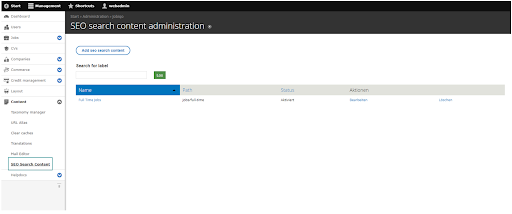
To add SEO Search content, click “Add SEO Search content” at the top of the page. You can now create the content for any search page, please fill in all required fields as follows: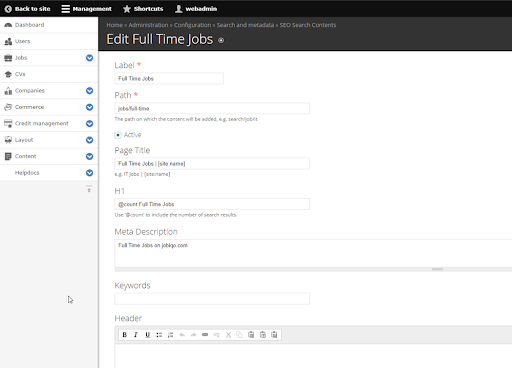
|
Field |
Usage / description |
|
Label |
This is used for administrative purposes (e.g. in the overview list) only. |
|
Path |
Specify the URL of the search page, to which you wish to add the content. |
|
Active |
Only if set to active, contents will be displayed in the frontend. |
|
Page Title |
Used as <title> of the page.
|
|
H1 |
Primary heading of the job search result page. Displayed in bold letters on top of the job search. |
|
Meta Description |
Used as <meta name="description"...>. This will be used as description element of search engines (the grey part of a Google Search result!). |
|
Keywords |
Used as <meta name="keywords"...>. |
|
Header |
Content will be shown in a text box above the job search results. |
|
Footer |
Content will be shown in a text box below the job search results. |
|
Share Image |
This image will be used as <meta property="og:image" content="...">. When users share the URL of the search result page on social networks, this will be used as a preview image. |