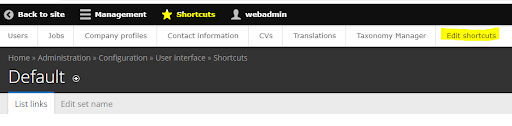
- Log in as a webadmin
- In the backend, click on “Shortcuts” in the header Menu
- Select “Edit shortcuts”
- Here, you have the following options:
- Click the “Add shortcut” button to add a menu link
- Click “delete” in the row of a link to remove it from the shortcut menu (the page will be kept and can be added again)
- Change the order of the links via drag and drop at the cross symbols at the left of the menu links
- It’s also possible to change the name of the menu link when clicking on “edit”, but this is not recommended as new vocabulary has to be introduced
- Save your changes