There are two ways to delete a job:
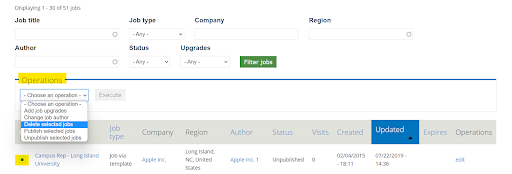
1. Via the backend Operations menu
- Open the Job list in the backend (Path: Management → Jobs)
- On the left side of the job list, tick the white boxes next to the jobs you wish to delete.
- In the ‘Operations’ menu above the job list, choose ‘Delete selected jobs’
- Confirm by clicking on ‘Execute’.
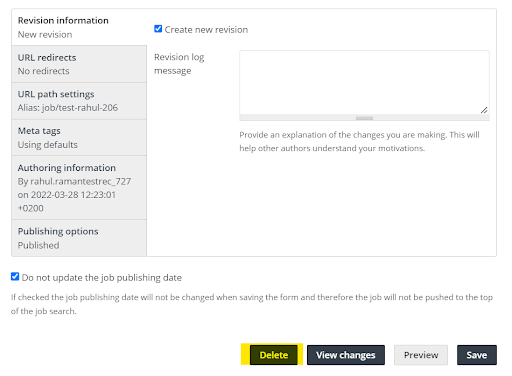
2. Via the Job options menu of the job
- Open the job list in the backend.
- Enter the job editing menu (how to edit the job?)
- Scroll down to the end of the menu.
- There you will see the ‘Delete’ option. Click on it and confirm