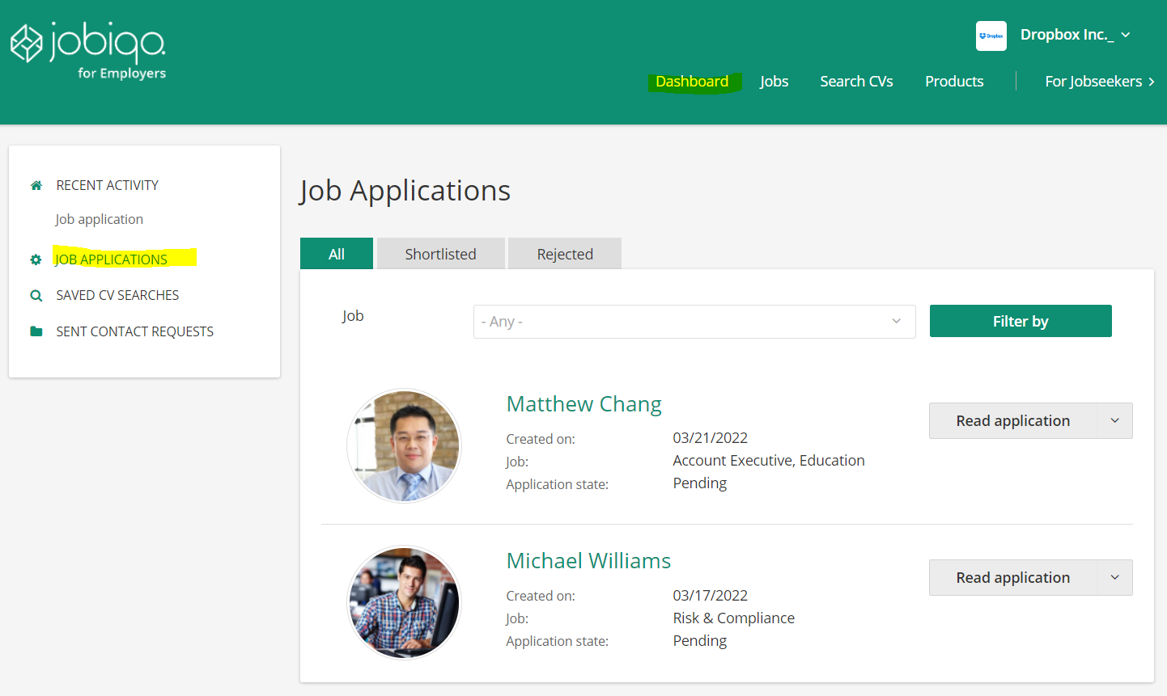
If you are a registered applicant on the job board, you are able to view previous job applications in your interface. To do so, please follow these instructions:
- Login to your account
- Click on “Dashboard” in the header menu. Alternatively, click on your name in the upper right corner and select "My dashboard" from the drop-down menu.
- Select “Job Applications” from the menu on the left.
- You can find all jobs for which you have applied, and that use our internal application module. Please keep in mind that jobs with application systems on external sites are not shown on the list.